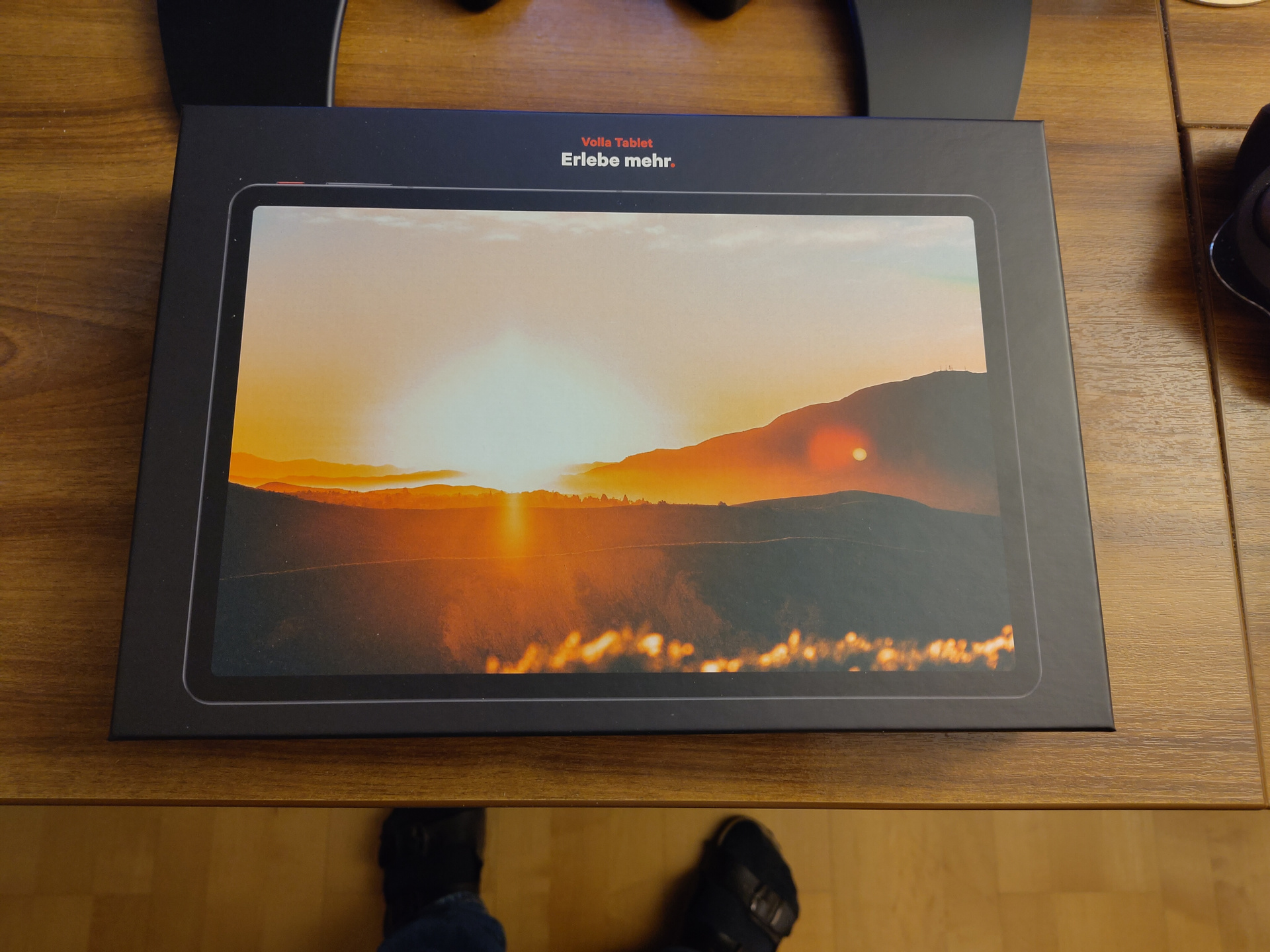
I needed to replace my old tablet, and decided to buy the Volla Tablet from a German company.
Let’s start with where I’m coming from, a Lenovo Yoga Tab:

My old Lenovo Yoga Tab
This thing was absolutely great. Especially that bulbous hinge/battery compartment on the left side. It provided a very welcome place to grip the tablet one-handed. There was far less “pinching” necessary to hold it, if you know what I mean. The hinge is for a stand, which made it very comfortable to prop up when using it on a table or in bed. In short, I loved this thing.
But today’s tech industry made it so I had to replace it. Because it wasn’t receiving updates for a long time. It’s originally from 2017 I believe, though I bought it in 2018. The hardware is still perfectly fine. Most weeks, I only need to plug it in once, the battery still holds a charge without issue. Screen is still okay. So is CPU power.
But because we live in the world we live in, I had to retire it.
I may or may not be a bit miffed about that fact.
Before going into the Volla, a few words on what I use a tablet for. First and foremost, it’s a “browsing machine” to me. I like to scroll through my Fediverse and RSS feeds while having my morning coffee. In addition, when I’m researching something, I like to curl up in my reading chair with my tablet sometimes. I’m also using it to watch YouTube very occasionally. Finally, I’m using the tablet for reading. Not novels, but rather stuff like history books or books on programming, where proper page layout and the ability to show diagrams nicely matters.
The Volla Tablet
So I went looking around for a new tablet. And while searching, I also came across Ubuntu Touch.
And I decided: Hey, why not a proper Linux tablet? I like the thought of my tablet not being Android and dependent on Google. Searching around, I found two contenders: First, the StarLabs StarLite.
It actually doesn’t look bad at all. Instead of Ubuntu Touch or Android, it runs a normal Linux distribution, but still with a touchscreen. It is driven by an Intel Alder Lake N350 CPU and has open firmware. So there’s a lot to like.
But I ended up deciding against it. The main reason was that it felt more like a 2-in-1 tablet/laptop than an actual tablet. I also wasn’t convinced about how well a normal Linux distro would actually work with a touchscreen. It was also quite a bit more expensive than the Volla Tablet I ended up with.
In contrast to the StarLite, the Volla Tablet is first and foremost an Android tablet. It has a Mediatek Helio G99 2.2 GHz ARM SoC and a 12" display. When it comes to the look of the tablet, it can best be described as “Generic Android Tablet”.
Here it is from the front: The Volla tablet from the front.
And here it is from the back: The Volla tablet from the back.
From a handling point of view, I must admit that I preferred my old 10" tablet. It was the right size and weight to comfortably hold it in one hand, and the hinge/battery bulge made for a comfortable place to hold it. The Volla tablet is a bit on the heavy side, and the 12" screen is a bit bigger than I really need in a tablet.
One thing to bring up before I get to the software side of things is the touchscreen. It’s not good. It misses taps at a higher rate than my old tablet ever did. No idea whether they just saved money on the screen, or whether it’s some sort of software issue. But it’s extremely annoying.
So onto the software. As I’ve noted above, Volla OS is a de-Googled Android. The tablet was delivered with Android 15. In contrast to normal Android phones or tablets, it doesn’t need a Google account to log in, and doesn’t ask for an email address at any point. If you actually need Google services, e.g. for banking apps, there’s microG preinstalled, but not enabled. I’m afraid I can’t say more on it, as I don’t need it for the things I use the tablet for.
For a number of things which are normally handled by Google apps, the Volla tablet comes with the programs from Fossify, e.g. for contacts or a calendar. For emails, k9 is preinstalled.
The main app store is F-Droid, with Aurora for apps which are only available via the Play store. This is enough for me, as most of the things I use are available in F-Droid.
As a browser, Volla OS uses Fennec, a fork of Firefox with some data-gathering bits and pieces removed, from what I understand.
At least in this first week of usage, I haven’t found any issues with the fact that Volla OS is de-Googled, but your mileage will vary wildly depending on what you’re trying to do. As a pure browsing machine, I didn’t really have a problem, besides having to use direct APK downloads for a few things.
My setup
The first thing for me to set up was WireGuard, as even from my internal WiFi, most things are only reachable via VPN. I was quite surprised to find that the WireGuard Android app was not available in F-Droid. This seems to be because Jason Donenfeld doesn’t trust the security or longevity of F-Droid as a project, and doesn’t want to risk WireGuard’s users being left without an update path if F-Droid goes down. So he implemented an auto-updater in the APK delivered for WireGuard. And those auto-updaters are against F-Droid’s policy. The discussion on the removal from F-Droid can be found here, including Donenfeld’s own comments.
So I just went to WireGuard’s download page and downloaded and installed the APK.
One useful feature of the WireGuard app is that it can read in the configuration via a QR code. And OPNsense, in turn, can generate such a QR code. One slight downside is that it looks like OPNsense can only display the QR code when creating a new peer. It seemingly can’t be displayed again for an existing peer.
Finally, one important tip: Before running full diagnostics on your home network because you can’t reach anything with the VPN enabled, check whether you’ve actually configured the allowed IPs correctly in the WG app. 🤦
Next was password-store, my trusty password manager. For now. Let me explain a little bit for those who don’t have experience with it. It makes use of GPG for encryption of password files on disk. Those files normally contain the password on the first line, and additional information like the username on the following lines. But the file content can be anything. I’m for example using it for my k8s cluster credentials as well, storing the kubectl config with the private key in it. The files are encrypted with my GPG keys. I’ve got my main key on my desktop, and then additional keys for my phone and tablet.
This setup has served me quite will in the past eight years. But it might be coming to an end soon. Because I found that the Android app is unmaintained. And while there is a fork, it states that it’s mostly trying to take care of automated dependency updates. Which, don’t take me wrong, is great! But to be honest, it also creates a somewhat queasy feeling in my stomach. To add insult to injury, I also found out that the newest release of that fork doesn’t support OpenKeyChain anymore. I’d used that for the necessary GPG key management on my phone and tablet. And the reason the fork doesn’t support that anymore? Well, that’s because that project is also on strict security maintenance, and hasn’t had a commit in two years.
So I will have to replace this entire setup sooner rather than later. Looking at alternatives will likely be my next project after finishing this post. And don’t get me wrong, password-store is still fine for desktop use, and together with gpg-agent I still quite like it, including the fact that it is a CLI app. But a password manager I don’t have maintained apps for on my phone or tablet is a little bit useless. I will very likely keep the setup going at least for my k8s credentials, because it allows me to store the credentials on my C&C server, but making them accessible only via the forwarded gpg-agent on my desktop. Besides that use, I will be looking at Vaultwarden mainly. Although I’m also getting a bit queasy about that, as while the server is a community project, all of the clients rely on Bitwarden continuing to tacitly allow support for that alternative server. 🤷
All of the above said, it doesn’t look like there are currently any known security
issues with the apps from my previous setup, so I stayed with it for the time being.
The first step in the setup was getting the SSH public key from the Volla onto
a host in my Homelab, as the password-store directory is also a Git repo, and
that’s how I’m doing the syncing. I was just sitting there and wondering how
I’d get the public key onto the host holding the repo so I could do the initial
sync. It was a bit sad that I don’t seem to have an easy, account-less way to
share a simple bit of text between my devices among the 197 Pods of my k8s
cluster. But in the end, I learned something new: Bluetooth sharing. You can share
simple files via Bluetooth. So I used that to get the key onto my phone, and from
there via Nextcloud notes onto my desktop, to finally copy+paste the key into
the authorized_keys file.
Next came my private GPG key, which I wanted to share from my old tablet to the Volla. Here, I used a USB stick, because I didn’t want to wirelessly transfer my private GPG key. Sharing those two keys definitely was a weird experience. I need to find something which can do encrypted transfers with “insecure” devices.
With that, I could configure the other apps I needed. I’m using Newpipe as a replacement for the YouTube app, but haven’t really used it yet. And Librera as a reader app. And finally, the Nextcloud app is used for general syncing and note taking/sharing.
Recapitulation and next steps
The issue with the touchscreen is driving me a bit bonkers at the moment. I really don’t know what the matter is. So just for that reason, I’d strongly advise against the Volla tablet right now.
Besides that, the tablet is okay, the first battery charge lasted me for almost two weeks, and that included a lot of use during the setup.
My next step is to have a look at its dual boot capability and Ubuntu Touch. I’m a quite curious whether the touchscreen might work better there?
And I definitely need to look for a new password manager.